Talat alternative for Mac: 7 on-device options compared, and what Talat does better
Short answer: if you like Talat’s on-device approach but want something free, or need an older macOS, the closest options are Routine Meeting, Meetily, Muesli, Biscotti, MacWhisper, Hapi and Whisper Notes. Talat is a good product, and if you want named speakers that carry across meetings, built-in summaries and exports, it may be the right choice. Which alternative fits depends on which of Talat’s limits matters to you.
Disclosure: I build Routine Meeting, one of the options below, and it is in public beta. Facts about Talat come from talat.app (read 2026-10-23) and about the others from their own sites and docs (read 2026-10-06 to 2026-10-23). If something has changed, tell me and I will fix it.
Why people look for a Talat alternative
Per talat.app, these are the limits people most often hit:
- The free allowance. Free for 10 hours of recording. After that you can still search, export and summarize old meetings, but cannot start new recordings.
- Price after that. $89 a year or $189 once, with “from $9/mo” in its comparison table.
- macOS 15 or later. It needs Apple Silicon and macOS 15, so a Mac on macOS 13 or 14 is out.
- How it starts. Per its page it starts from detected Zoom, Teams and Meet calls or from your calendar. If you use other apps for calls, check that it picks them up.
None of these applies to everyone. If you will use it for years, the one-time license may be cheaper than free tools you outgrow.
What Talat does well
Be fair first. Per talat.app (2026-10-23):
- Transcription runs on your computer, and recordings, transcripts and notes are stored in a local database.
- It identifies who said what, learns voices over time and recognizes people across meetings. Voice prints stay on your device.
- Summaries, action items and chapters after each meeting, with a built-in model by default, or your own key for a cloud model or Ollama.
- Exports to Markdown, Obsidian, PDF and webhooks, and a Windows version.
Few free alternatives match named speakers and exports.
The alternatives, step by step
Routine Meeting (free)
A menu-bar app that starts by itself when it hears the pattern of a real call: your microphone active plus audio from another app. It does not depend on a list of apps, so Zoom, Meet, Teams, Slack huddles, Discord and FaceTime are picked up with no setup.
- Capture: microphone plus system audio. Audio only. macOS shows its purple recording indicator.
- Transcription: on your Mac with Parakeet v3 (Whisper, through WhisperKit, is an option). Your side is labeled “What you said” and everyone else’s “What others said”.
- Summaries: optional. A fully local model, or your own Gemini key (only transcript text is sent).
- Account and price: none, and free, with no recording limit.
- Requirements: Apple Silicon, macOS 14.2 or later.
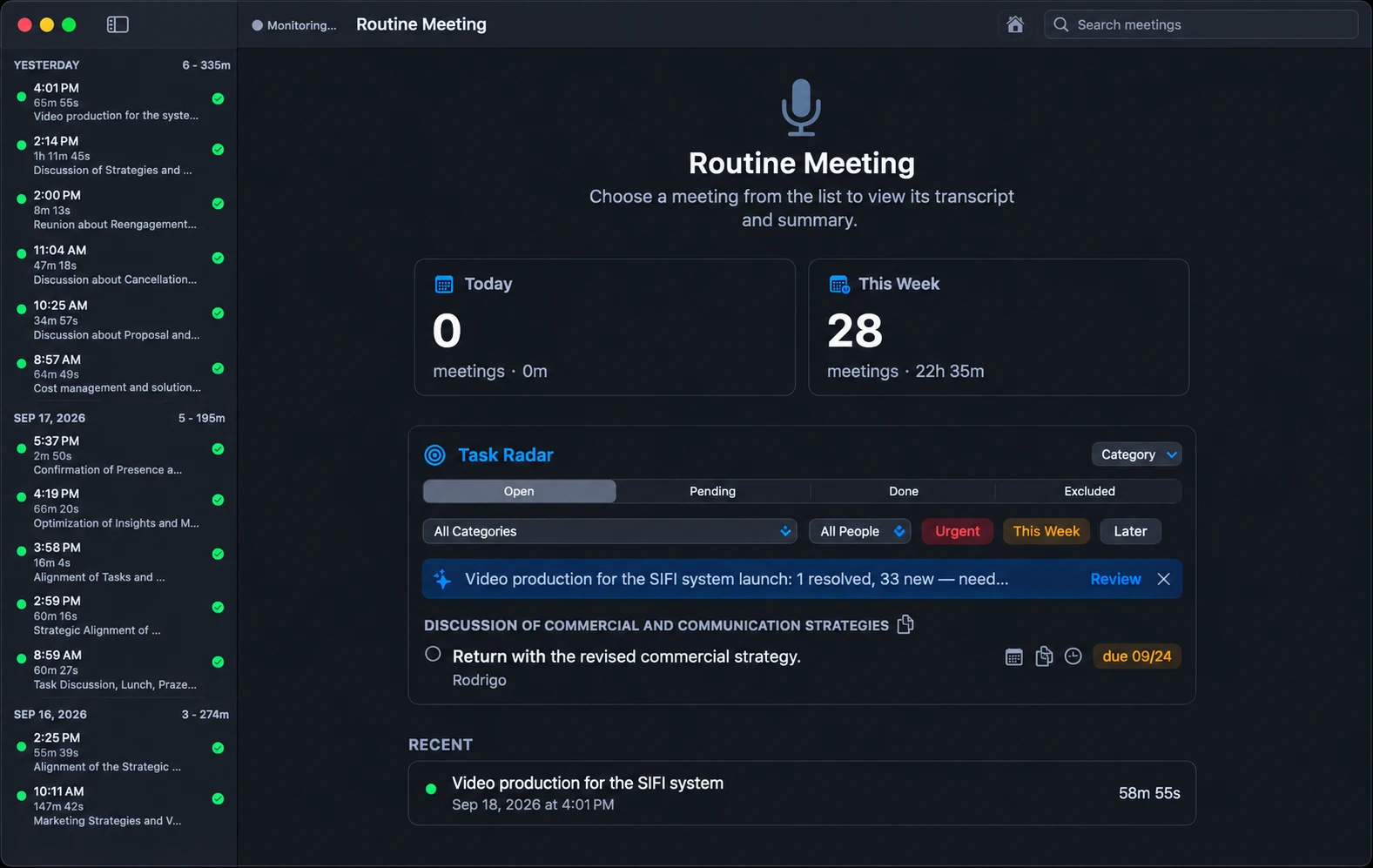
Limits: closed source, you versus everyone else (no named speakers), no exports or integrations, no team sharing.
Meetily (free community edition, MIT)
Open source and cross-platform (macOS, Windows, Linux from source). Transcribes with Whisper or Parakeet and summarizes with Ollama locally or a cloud provider. Per its README, speaker identification is a PRO feature, and some PRO features are marked “Coming Soon”. Setup is more hands-on than a menu-bar app, and its page does not say how recording starts.
Muesli (free, open source)
Per its site, a free, open-source app for Apple Silicon Macs that captures meeting audio from your computer without a bot and transcribes on-device with Parakeet or Whisper. I could not confirm whether its summaries run locally or whether it labels speakers.
Biscotti (free, source-available)
A fully local pipeline: Whisper V3 Turbo, per-person speaker separation and a Gemma model for summaries and action items. It needs macOS 15 or later and recommends 16 GB of RAM. The license is PolyForm Perimeter, so source-available, not open source in the usual sense.
MacWhisper (Pro: 64 EUR, one time)
A mature transcriber for files and dictation that also records meetings, with automatic detection and local models. Its docs describe meeting recording as a beta, say you click Record from a notification, and say other participants are grouped as one speaker for now.
Hapi (from 79 EUR once for meetings)
Per its site, needs macOS 14 or later, says it is 100 percent local, auto-detects meetings in a list of apps, and offers speaker labels and on-device summaries on its Local plan.
Whisper Notes ($14 once on Mac)
Per its site, transcribes fully on the device, supports offline meeting recording on the direct-download Mac version, labels speakers after the recording ends and has no monthly minute cap. It needs Apple Silicon.
Others that appear in search results
Mumble and Anarlog also appear for this topic. I read their home pages and could not confirm price, platform or whether meetings are processed on-device, so I do not compare them here.
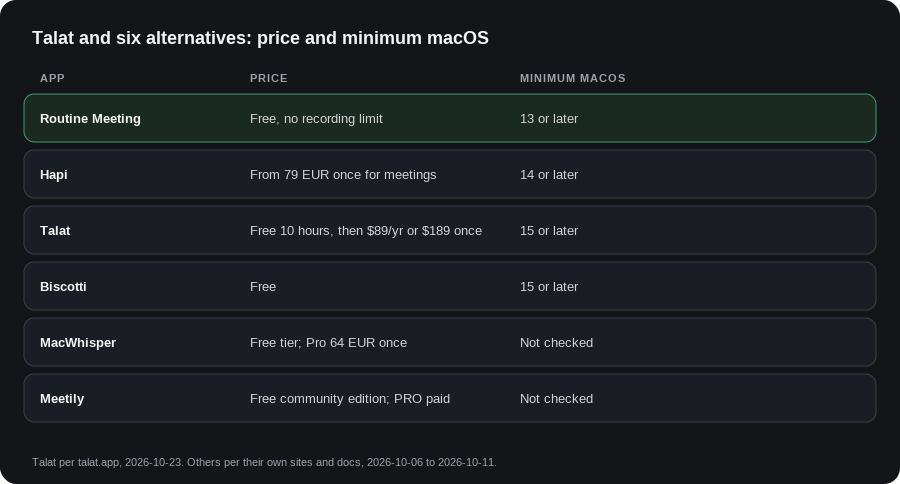
Side by side
| Talat | Routine Meeting | Meetily | Biscotti | MacWhisper | Hapi | |
|---|---|---|---|---|---|---|
| Runs on your Mac | Yes | Yes | Yes | Yes | Yes | Yes |
| Price | Free 10 hours; $89 a year or $189 once | Free | Free; PRO paid | Free | Free tier; Pro 64 EUR once | 79 EUR once |
| Speakers | Named, remembered | You vs others | PRO (per README) | Per person | One speaker (beta docs) | Yes (Local plan) |
| Starts automatically | Calls or calendar | Yes, any app | Not stated | Not checked | Notification, you click | Yes, listed apps |
| Minimum macOS | 15 | 13 | Not checked | 15 | Not checked | 14 |
| Source | Closed | Closed | MIT | Source-available | Closed | Not stated |
“Not checked” and “Not stated” mean I did not find it and will not guess.
Which should you pick?
- You want named speakers and exports, and are fine paying: stay with Talat.
- You want free, no recording limit, and a start that works in any app: Routine Meeting.
- You want open source you can inspect: Meetily or Muesli.
- You want per-person speakers locally and have macOS 15 and 16 GB: Biscotti.
- You prefer paying once for something older macOS can run: Hapi (macOS 14) or Whisper Notes.
Moving from Talat
- Export what you need. Talat exports to Markdown, PDF and Obsidian, so save important meetings first.
- Run both for a week. Keep Talat for calls where you need named speakers while you test the free app on your own calls.
- Check your OS first. Talat needs macOS 15, and some alternatives need less.
For more, see our Granola alternative guide, local and offline AI meeting notes and MacWhisper alternative for meetings.
Before you record anything
Recording laws depend on where you and the others are, and many places require everyone’s consent. Tell people at the start: “I’m transcribing this for my notes. Is that okay?” Check company policy too. This is not legal advice.
FAQ
Is Talat free? Free for 10 hours of recording. After that you cannot start new recordings without a paid plan ($89 a year or $189 once, per its site).
Is Talat private? Per its site, transcription runs locally and recordings are stored in a local database. Summaries default to a built-in model, and a cloud model with your own key is optional, so check which one you select.
Does Talat label speakers? Yes, per its site, and it recognizes people across meetings.
Is there a free Talat alternative for Mac? Yes. Routine Meeting, Meetily, Muesli and Biscotti are free on a Mac.
Is there an open-source Talat alternative? Meetily (MIT) and Muesli are open source.
Does Talat work on older Macs? Per its site it needs macOS 15 on Apple Silicon.
Sources (checked 2026-10-06 to 2026-10-23)
- Talat: talat.app
- Meetily: github.com/Zackriya-Solutions/meeting-minutes
- Muesli: muesli.works
- Biscotti: github.com/scosman/Biscotti
- MacWhisper: macwhisper.com and docs.macwhisper.com
- Hapi: speakhapi.com
- Whisper Notes: whispernotes.app
- Routine Meeting: mathguimaraes.github.io/routine-meeting