Meetings happen.
Notes shouldn't require you to take them.

Routine Meeting sits quietly in your menu bar, detects meetings in any app, records and transcribes entirely on your Mac, and hands you a summary — automatically.

⌘ Download for macOS View on GitHub

Free · Apple Silicon · macOS 13+ · No account required

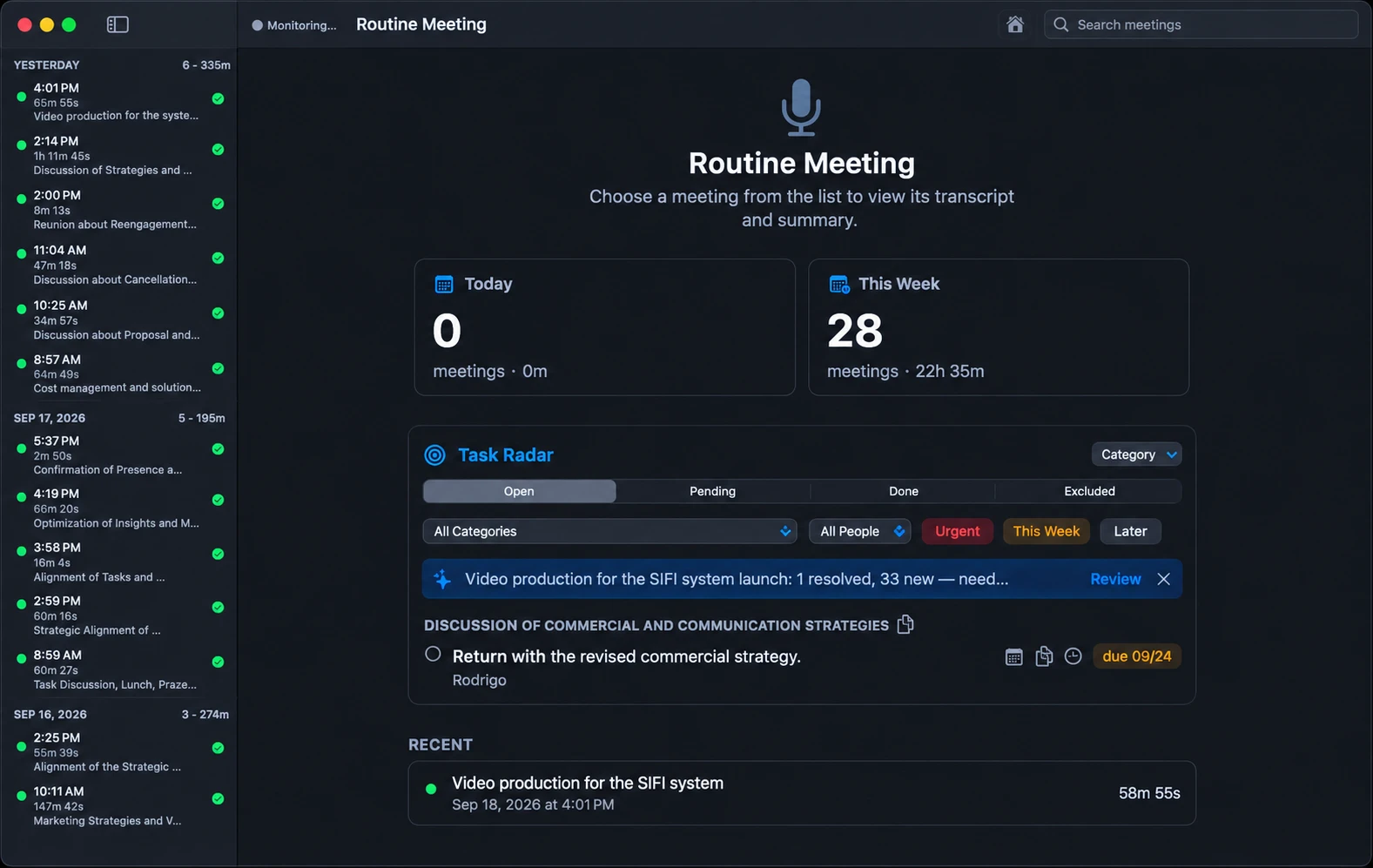
Routine Meeting main window: meeting list, weekly stats and the Task Radar

It handles the whole thing without being asked

No button to remember, no app-specific setup, no "oh no, was this being recorded" moment.

🎙️

Detects meetings automatically

Listens for the mic + system-audio pattern of a real conversation — works the same in Google Meet, Zoom, Teams, Webex, Slack huddles, Discord, FaceTime, WhatsApp calls, or a relayed phone call.

🔒

Transcribes entirely on-device

WhisperKit runs on the Apple Silicon Neural Engine. Audio never leaves your Mac unless you explicitly turn on cloud summaries.

🗣️

Knows who said what

Mic and system audio are captured and split separately, so summaries and insights are attributed to the right person.

✅

Turns talk into action

A title, a bullet summary, action items, and optionally an honest read on how the conversation went — whether it was a 1:1, a client call, or a design review.

☀️

Morning digest

A notification with yesterday's recap and open tasks, generated automatically a few minutes after your Mac wakes.

🔑

Bring your own key, or skip the cloud

Use your own free-tier Gemini API key for AI summaries, or run a fully local model with no key and no cloud calls at all.
No bot. No server. Everything on your Mac.

Most meeting assistants, whether they use a visible bot (Fireflies, Otter) or "botless" capture (Fellow, Fathom), still send your recording and transcript to their servers for processing.

✓
Nothing leaves your device Recording and transcription run entirely on-device — true even compared to "botless" tools, since botless just means no visible participant joins the call, not that your data stays local.
✓
Works across every app, automatically Detects the mic + system-audio pattern of a real conversation instead of joining as a participant or hooking into a specific app's API.
✓
Bring your own key, or skip the cloud entirely Your own Gemini API key, or a fully local model with no key and no cloud calls at all.
✓
No account, no subscription Free, and doesn't ask you to sign up for anything.

WHAT ROUTINE MEETING DOESN'T HAVE (YET)

  • Cross-meeting search or a long-term knowledge base — currently a daily rollup
  • Integrations with CRMs, Slack, ATS tools, or dialers
  • Enterprise compliance certifications (SOC 2, HIPAA, GDPR)
  • Windows or mobile support

Install in under a minute

1

Download the latest RoutineMeeting.dmg from Releases.

2

Open the DMG and drag Routine Meeting into Applications.

3

Launch it. A short setup guide walks you through each permission — why it's needed, then the system prompt — and lets you add a Gemini key or skip to on-device mode.

4

That's it. It runs quietly in your menu bar from then on — join a call, and it takes care of the rest.

Local-first, by construction

🛡️

Audio and transcripts stay on your Mac. Nothing is sent anywhere unless you turn on a cloud AI provider — and even then, only the transcript text goes out, never raw audio.

The app also sends one anonymous ping per day (a random ID with no meeting content, name, or email) so usage can be tracked in aggregate. On by default; turn it off anytime in Settings → Privacy with no other change in behavior.