MacWhisper alternative for meetings: what MacWhisper does, and when an automatic app fits better
Short answer: MacWhisper is a strong, mature Mac transcriber, and if you transcribe files, dictate, or want a one-off purchase, you may not need an alternative. For meetings, the difference is small but real: per its docs, MacWhisper detects a meeting and shows a notification, and you click Record, and the feature is still in beta. An alternative such as Routine Meeting starts and stops by itself in any app. If you forget to click, or use FaceTime, that is the gap. If you are happy to click, MacWhisper is a good choice.
Disclosure: I build Routine Meeting, one of the options below, and it is in public beta. Facts about MacWhisper come from its website and its support docs, read on 2026-10-11. If something has changed, tell me and I will fix it.
What MacWhisper does well
Be fair first. Per macwhisper.com (2026-10-11):
- A free tier and a Pro plan at 64 EUR, one time, with lifetime updates.
- Local transcription of audio and video files, plus dictation.
- No meeting bots.
- Optional use of your own API keys or local models through Ollama or LM Studio, a command-line tool, watched folders, and exports to tools such as Notion, Obsidian, Zapier and webhooks.
- Automatic speaker recognition for transcripts. Per its docs, this arrived in MacWhisper 12 and works with local WhisperKit models and with the ElevenLabs and Deepgram cloud providers.
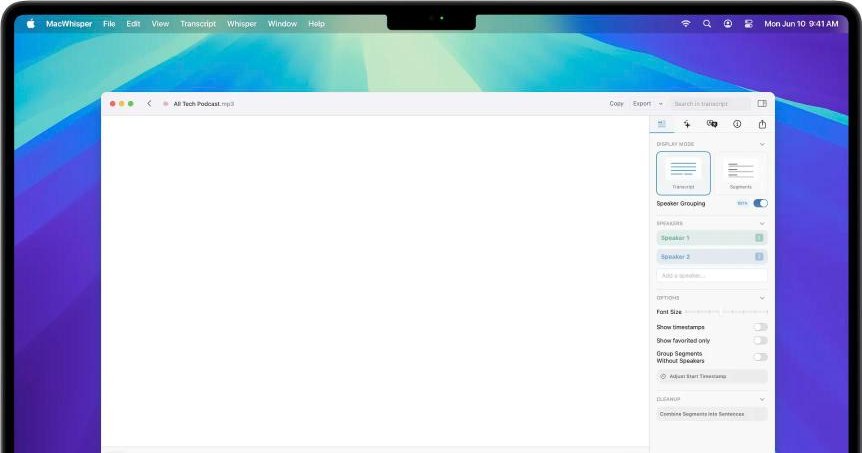
If your work is mostly files, interviews and podcasts, MacWhisper is hard to beat on price and features.
Where meetings differ
Meetings add three things a file does not: someone has to start the recording, stop it, and you want to know who said what. Here is what MacWhisper’s own docs say about each.
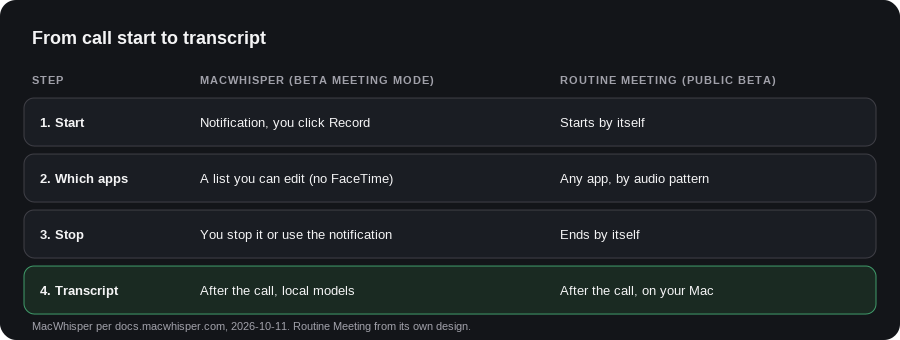
Starting. MacWhisper can detect when a meeting starts “and remind you to record.” You get a “Meeting Detected” notification, click Record, and the notification disappears after 10 seconds if you do nothing. The detection list covers Arc, Brave, Chime, Chrome, Discord, Edge, Firefox, Safari, Skype, Slack, Teams, Telegram, Webex, WhatsApp and Zoom. Per the docs, FaceTime is not available because of macOS privacy restrictions. You need Screen Recording and Microphone permissions, and the notifications are not in the Mac App Store version.
Stopping. You stop it from the main window or the Meeting Ended notification, then select the recording and transcribe it.
Beta. The docs say Automatic Meeting Recording is in beta, with “occasional issues or data loss,” and recommend manual recording for critical meetings.
Who said what. For file transcripts, MacWhisper 12 can label speakers. For the meeting recorder, the docs say other participants are for now grouped as one speaker, with a plan to split them when speaker recognition reaches that feature. Check the current version on your Mac, since this may have changed.
How Routine Meeting handles the same steps
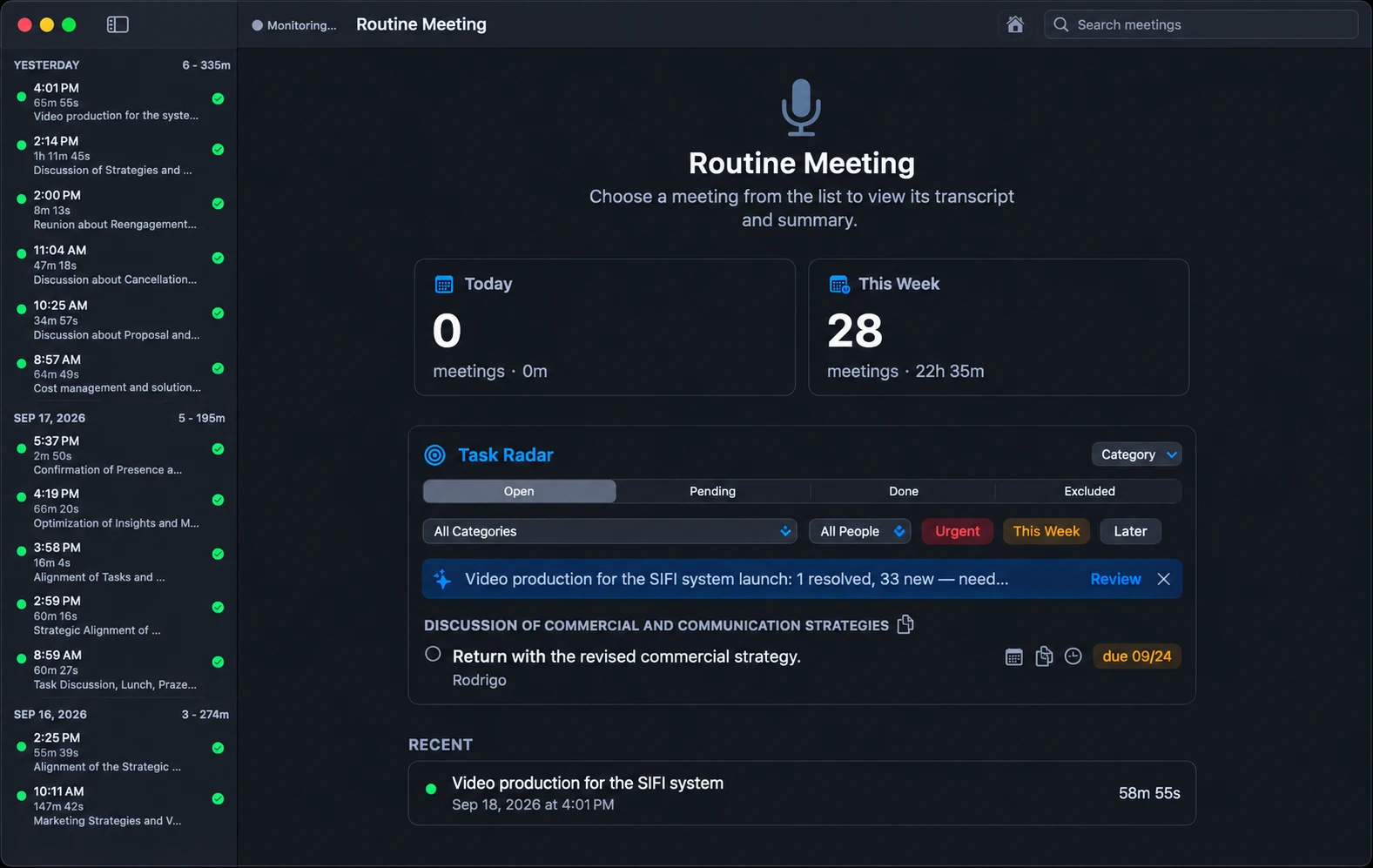
- Start: it watches for the pattern of a real conversation, your microphone active plus audio from another app, and starts after a short delay (5 seconds by default, and only once it also hears audio from another app). No notification to click, and no list of supported apps, so Slack huddles, Discord and FaceTime are covered too.
- Stop: by default it ends when the meeting app lets go of the microphone and the system audio has been quiet for about 45 seconds. Auto-end is a setting you can turn off.
- Transcript: Parakeet v3 on your Mac (Whisper, through WhisperKit, is an option). Your side is labeled “What you said” and everyone else’s “What others said”.
- Summaries: optional, from a local model or your own Gemini key (only transcript text is sent).
- Cost and requirements: free, no account, Apple Silicon, macOS 14.2 or later.
Side by side
| MacWhisper | Routine Meeting | |
|---|---|---|
| Meeting start | Notification, you click Record | Automatic |
| Meeting stop | You stop it | Automatic |
| Apps | Editable list, no FaceTime | Any app, by audio pattern |
| Speakers in meetings | Participants grouped as one (per docs) | You vs everyone else |
| Speaker split for files | Yes, in version 12 | Not a file tool |
| Transcribe existing files | Yes | No |
| Meeting recording status | Beta | Public beta |
| Price | Free tier; Pro 64 EUR once | Free |
| Account | Not stated | None |
| Source | Closed | Closed |
Routine Meeting is mainly for live meetings, so it does not replace MacWhisper’s file transcription or exports. It now has a dictation mode of its own (hold Fn, in beta), but it is new, while MacWhisper is the more mature tool for dictation. Many people could reasonably use both.
Limits of Routine Meeting
- Public beta and closed source.
- It separates you from everyone else but does not name each person in a group call.
- No team sharing, integrations or file import.
- Apple Silicon and macOS 14.2 or later only.
Which should you choose?
- You mostly transcribe files, interviews or dictate: MacWhisper.
- You want a one-off purchase and many export options: MacWhisper Pro.
- You are fine clicking Record when the notification appears: MacWhisper works for meetings too.
- You want every call captured without remembering, in any app: Routine Meeting.
- You need team sharing and a compliance report: a hosted tool, see the Granola alternative guide and bot versus no bot.
For more options, see five ways to transcribe a meeting on a Mac and private meeting transcription.
Before you record anything
Recording laws depend on where you and the others are, and many places require everyone’s consent. Tell people at the start: “I’m transcribing this for my notes. Is that okay?” Check company policy too. This is not legal advice.
FAQ
Does MacWhisper record meetings? Yes. Per its docs it detects meetings in a list of apps and offers to record them, and the feature is in beta.
Is MacWhisper’s meeting recording automatic? It detects meetings automatically, but you click Record in the notification.
Does MacWhisper work with FaceTime? Its docs say FaceTime is not available because of macOS privacy restrictions.
Does MacWhisper label speakers? MacWhisper 12 does for transcripts with supported models. In its meeting recorder, per the docs, other participants are grouped as one speaker for now.
Is there a free MacWhisper alternative for meetings? Yes: Routine Meeting and MacParakeet are free on a Mac.
Is MacWhisper private? Per its site it transcribes locally and has no bots. Cloud providers and API keys are optional features, so check which model you select.
Sources (checked 2026-10-11)
- MacWhisper: macwhisper.com
- MacWhisper docs: Automatic Meetings Recordings with MacWhisper
- MacWhisper docs: Automatic Speaker Recognition in MacWhisper
- MacParakeet: macparakeet.com/meetings
- Google results for “macwhisper alternative” and “macwhisper alternative meeting transcription”, 2026-10-11, including pages from LumeVoice and MotionObj (about 1,000 to 1,400 words, no more than one image)